Drone Maintenance Schedule: How Often to Service Your UAV
By Michael Chen · Published · Updated · 5 minutes read
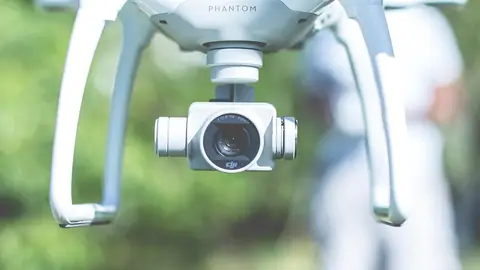
A drone that flies every week wears differently than one that flies twice a season, and a professional fleet wears faster than either. The trouble is that most UAVs don't fail dramatically — they drift, vibrate, and lose efficiency slowly until a motor bearing seizes or a battery swells. A written maintenance schedule turns that slow decay into something you catch on the bench instead of mid-flight.
Below is a field-tested interval guide built around flight hours, not calendar dates alone. Treat the numbers as starting points: dust, salt air, heat and heavy payloads all shorten them, and your logbook should tell you when your machine is the exception.
Track Flight Hours, Not Just Calendar Dates
Every maintenance decision starts with knowing how much your aircraft has actually flown. A calendar-based schedule misses the fact that one pilot logs 40 hours in a busy month while another logs four. Pull the flight log from your controller app after each session and record total airtime, battery cycles, and any warnings or abnormal behaviour in a simple spreadsheet or paper logbook.
Set your service triggers in hours: a quick inspection every 10–15 flight hours, a deeper check every 50, and a full teardown-level service around 100–200 hours depending on the airframe. Consumer-grade drones tend to need attention at the lower end of that range, while heavier commercial platforms with serviceable motors can stretch further. If you fly commercially, this log also supports your recordkeeping obligations under Part 107 rules, which require you to keep aircraft records available for inspection — see Part 107 vs. Recreational Flying: Key Differences for how those obligations differ.
- Log airtime and battery cycles after every session
- Quick inspection every 10–15 flight hours
- Intermediate check every 50 hours
- Full service at 100–200 hours or annually, whichever comes first
Pre-Flight and Post-Flight Checks
The cheapest maintenance is the two-minute check you do before every launch. Props are the most common failure point: run a fingernail along each blade looking for nicks, cracks, or whitening at the hub, and flex each one to check for delamination. A prop that flexes differently from its counterpart is a vibration source and should be retired.
After landing, do a quick pass over the airframe: check motor temperature by touch (warm is normal, hot is not), look for debris in the cooling vents, and inspect the gimbal for play. Wipe the lens and sensor windows with a microfibre cloth. These habits catch most problems early; a fuller version of this routine is laid out in our Drone Safety Checklist for Pre-Flight Inspections.
- Flex and inspect every prop before flight
- Check motor warmth and bearing noise after flight
- Clean lens, sensors and vents
- Note any change in handling or sound in the log
Props and Motors: The Highest-Wear Components
Props are consumables. In commercial use, expect to replace a set every 50–100 flight hours, sooner if you fly in dusty or sandy environments where abrasion erodes leading edges. Replace in full sets rather than one at a time, since mismatched wear creates imbalance. Keep spares on hand — a spare set costs little next to a crashed airframe.
Motors need less frequent attention but more care. Every 25–50 hours, check each motor for vertical play by gently pulling the bell upward, and listen for grinding or clicking when you spin it by hand. Compressed air clears dust from the bell; a drop of the manufacturer-specified lubricant on serviceable bearings goes a long way. If a motor runs noticeably hotter than its neighbours, ground the aircraft until it is inspected.
- Replace props as a full set every 50–100 hours in commercial use
- Check motor bell play and bearing noise every 25–50 hours
- Blow out dust with low-pressure compressed air
- Ground the aircraft if one motor runs hotter than the rest
Batteries: Storage and Cycle Limits
LiPo batteries age whether you fly them or not, and they are the component most likely to end a flight unexpectedly. Most intelligent flight batteries are rated for roughly 200–300 full charge cycles before capacity drops noticeably, but heat and improper storage shorten that considerably. Track cycles in your log and watch for increasing internal resistance — a battery that charges faster and discharges quicker than its siblings is on its way out.
Store cells at around 40–60% charge if the pack will sit for more than a few days, keep them out of hot cars, and never fly a pack that shows swelling, a damaged casing, or a cell voltage imbalance after charging. Retire packs at the first sign of puffing; there is no safe repair. Inspect contacts for corrosion every few months, especially if you fly near salt water.
- Expect 200–300 cycles before noticeable capacity loss
- Store at 40–60% charge for anything beyond a few days
- Retire any pack that swells or shows cell imbalance
- Keep batteries out of direct sun and hot vehicles
Gimbal, Camera and Firmware
The gimbal is delicate but usually low-maintenance: check for smooth movement through its full range, listen for grinding, and make sure the rubber dampers aren't cracked or hardened. Clean the lens and sensor windows regularly, and after flights in rain or coastal air, wipe down the gimbal housing to prevent corrosion. If you notice horizon drift or jitter, calibrate the gimbal before assuming hardware failure.
Firmware deserves a scheduled slot rather than an ad-hoc one. Check for updates monthly, read release notes before installing, and never update the night before a paid job — a botched update has ruined more shoot days than mechanical failure. Keep a note of the firmware version you flew successfully with, so you can roll back if a new release introduces problems.
- Check gimbal for smooth travel and cracked dampers
- Calibrate the gimbal after any drift or hard landing
- Review firmware monthly; never update before a paid flight
- Record the firmware version used on each job
Annual Deep Service and Recordkeeping
Once a year, or at the 100–200 hour mark, do a full service: inspect the airframe for cracks and loose fasteners, check all wiring and connectors, test the compass and IMU calibration, and replace any consumable parts. Many pilots send the aircraft to a service centre at this point, particularly if warranty or insurance requires it. Budget for it — a deep service typically costs a fraction of a single commercial job, and far less than a replacement aircraft.
Keep the records. Your maintenance log should show what was done, when, and by whom, alongside your flight logs. That documentation matters if you make an insurance claim or face an audit. If you're new to the regulatory side, our guide to FAA drone registration covers the paperwork that pairs with your maintenance file.
Adapting the Schedule to Your Operation
The intervals above assume moderate use in temperate conditions. Flying in desert dust, coastal salt air, or high heat means halving them: dust accelerates bearing wear, salt attacks connectors, and heat ages batteries faster than any other factor. Agricultural and inspection pilots who fly low over crops or structures should inspect props and motors after every few flights rather than on a calendar.
Conversely, a hobbyist flying a few hours a month can follow the calendar side of the schedule and still be well ahead of most. Whatever your use case, write the schedule down, set reminders on your phone, and treat a missed service the same as a missed pre-flight check. The full cost picture of keeping an aircraft airworthy is covered in How Much Does a Commercial Drone License Cost?.
- Halve intervals for dust, salt air or sustained heat
- Inspection-heavy work: check props and motors every few flights
- Low-hour hobbyists can follow the calendar triggers
- Set phone reminders so services aren't skipped
| Component | Routine check | Replace or deep service | Typical cost (USD) |
|---|---|---|---|
| Props | Every flight | 50–100 flight hours | 10–40 per set |
| Motors/bearings | 25–50 flight hours | 100–200 hours or on noise | 20–80 each |
| Batteries | Every charge cycle | 200–300 cycles or on swelling | 60–250 each |
| Gimbal/camera | Every flight | Annual clean and calibration | 0–100 |
| Firmware/IMU | Monthly | Recalibrate after hard landing | Free |
| Airframe deep service | Annual | 100–200 hours | 100–300 |
- Schedule maintenance by flight hours, not just calendar dates
- Props are consumables — replace in full sets every 50–100 hours
- Store batteries at 40–60% charge and retire swollen packs immediately
- Never install firmware updates right before a paid flight
Michael is a remote pilot and editor with years of experience in drone operations and regulation. He focuses on providing practical guidance to both hobbyists and commercial pilots. His aim is to make complex rules accessible to everyone.